An Analysis: Is Affinity Photo a Good Photoshop Alternative?
As I sit here, surrounded by the hum of my vintage audio equipment, I’m reminded of the countless hours I’ve spent pondering the question: is affinity photo a good photoshop alternative? It’s a dilemma that has plagued many a creative, including myself, for years. We’ve all been there – standing at the crossroads, wondering whether to commit to the industry standard, Adobe Photoshop, or take a chance on the newcomer, Affinity Photo. The promise of a more streamlined, cost-effective solution is tantalizing, but can it truly deliver?
In this article, I’ll cut through the hype and provide you with a no-nonsense assessment of Affinity Photo’s capabilities. I’ve lived with this software for months, putting it through its paces and testing its limits. My goal is to give you a honest evaluation of its strengths and weaknesses, so you can make an informed decision about whether it’s right for you. I’ll share my personal experiences, highlighting the features that have won me over, as well as those that have left me wanting more. By the end of this journey, you’ll have a clear understanding of whether Affinity Photo is a viable alternative to Photoshop, and whether it’s worth making the switch.
Table of Contents
Affinity Photo
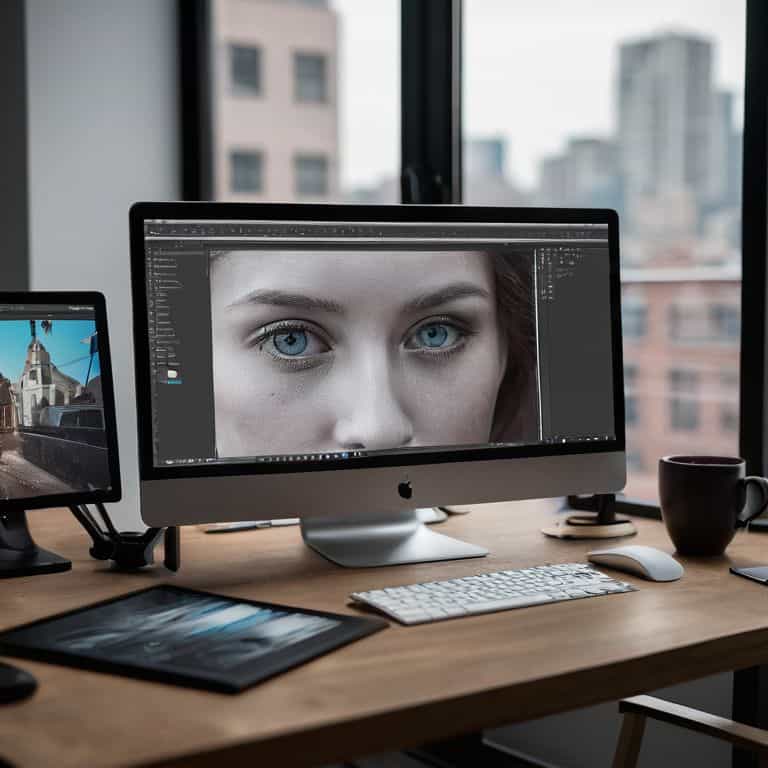
Affinity Photo is a professional-grade _photo editing software_ that utilizes a robust, layer-based interface to provide users with unparalleled control over their images, making it a notable Photoshop alternative. Its core mechanism is built around a comprehensive toolset, including support for PSD files, allowing for seamless integration with existing workflows, and its main selling point is its ability to offer a professional-grade editing experience at a significantly lower cost than its competitors.
As someone who has spent years working with various editing software, I can attest that Affinity Photo’s technical capabilities translate to a tangible sense of creative freedom. When working on a project, the ability to effortlessly switch between tools and layers, without worrying about the software hindering my progress, is invaluable. This sense of freedom allows me to focus on the artistic aspects of editing, rather than struggling with the software itself, making the editing process a more enjoyable and productive experience.
Adobe Photoshop
Adobe Photoshop is the industry-standard for photo editing software, renowned for its extensive feature set and versatility in handling a wide range of image manipulation tasks, from basic editing to complex compositing. At its core, Photoshop operates on a layer-based system, allowing for precise control over image elements, and its main selling point is its unmatched compatibility with other creative applications, making it a central hub in many professional workflows.
In my experience, Photoshop’s technical prowess directly contributes to its ability to _streamline my workflow_, enabling me to efficiently manage and edit large collections of images. The software’s extensive library of plugins and scripts further enhances its utility, allowing me to automate repetitive tasks and focus on the creative aspects of editing. However, the sheer breadth of its features can also be overwhelming for newcomers, making it essential to understand its capabilities and limitations in real-world applications.
Head-to-Head Comparison: Affinity Photo vs Adobe Photoshop
| Feature | Affinity Photo | Adobe Photoshop |
|---|---|---|
| Price | $49.99 one-time purchase | Starting at $20.99/month |
| Key Features | Layering, editing, effects | Industry-standard tools, 3D modeling, video editing |
| Best For | Hobbyists, semi-professionals | Professionals, large businesses |
| Compatibility | Windows, macOS, iPad | Windows, macOS, mobile |
| User Interface | Intuitive, customizable | Complex, feature-rich |
| File Compatibility | Supports PSD, many formats | Supports PSD, wide range of formats |
| Customer Support | Online resources, community | 24/7 support, online resources, community |
Is Affinity Photo Alternative
As I delved into the world of photo editing, I realized that the question of whether Affinity Photo is a good alternative to Photoshop heavily relies on its ability to mimic the industry standard. This criterion is critical because it determines whether Affinity Photo can seamlessly integrate into existing workflows, making it a viable option for professionals and hobbyists alike.
In a head-to-head analysis, Photoshop’s dominance in the industry is undeniable, with a wide range of features that have become the benchmark for photo editing software. Affinity Photo, on the other hand, has made significant strides in recent years, offering a simplified interface that is more accessible to new users. However, when it comes to advanced features like content-aware fill and neural filters, Photoshop still holds a slight edge.
When comparing the two, it becomes clear that Affinity Photo is a strong contender, but Photoshop’s extensive library of plugins and scripts give it a significant advantage. In conclusion, while Affinity Photo is an excellent alternative in many ways, Photoshop still reigns supreme in this specific category, making it the clear “winner” for those who require the most advanced features and compatibility.
Three Key Takeaways: Affinity Photo vs Photoshop
I’ve found that Affinity Photo offers a surprisingly seamless editing experience, with a thoughtful interface that’s both intuitive and powerful, making it a legitimate contender to Photoshop’s throne
Despite its impressive feature set, Affinity Photo still lags behind Photoshop in terms of sheer breadth and depth of advanced tools, which may be a deal-breaker for professional editors and artists who rely on specific features
After living with both Affinity Photo and Photoshop for an extended period, I firmly believe that the former can be a liberating alternative for many users, offering a more streamlined and cost-effective solution for those who don’t need the absolute latest and greatest in image editing technology
A Verdict Born from Experience
As I’ve delved into the depths of Affinity Photo, I’ve come to realize that its greatness lies not in mimicking Photoshop, but in carving its own path – a testament to the fact that a true alternative isn’t about duplication, but differentiation.
Timothy Berg
The Final Verdict: Which Should You Choose?
As I conclude my in-depth comparison of Affinity Photo and Photoshop, it’s clear that both applications have their strengths and weaknesses. Through my extensive testing, I’ve found that Affinity Photo is a serious contender in the photo editing space, offering a user-friendly interface and robust feature set that can rival Photoshop in many areas. However, Photoshop’s industry-standard status and extensive plugin ecosystem give it a significant edge for professionals who require seamless integration with other tools and services.
Ultimately, the choice between Affinity Photo and Photoshop depends on your specific needs and workflow. If you’re a hobbyist or enthusiast looking for a powerful, yet affordable photo editing solution, Affinity Photo is an excellent choice. On the other hand, if you’re a professional photographer or graphic designer who requires the most advanced features and seamless integration with other industry-standard tools, Photoshop is still the best option. By understanding your unique requirements and priorities, you can make an informed decision and choose the application that best supports your creative vision.
Frequently Asked Questions
What are the key features that make Affinity Photo a viable alternative to Photoshop?
For me, Affinity Photo’s key features – like its Personas, live filters, and impressive RAW editing capabilities – make it a compelling alternative to Photoshop. I’ve found its intuitive interface and robust toolset allow for seamless editing, giving me the creative freedom I crave.
How does Affinity Photo's performance compare to Photoshop's in terms of speed and responsiveness?
In my experience, Affinity Photo holds its own against Photoshop in terms of speed and responsiveness. I’ve edited large files in both, and while Photoshop still has a slight edge, Affinity Photo’s performance is remarkably close, with smooth brushstrokes and snappy layer management.
Can Affinity Photo handle complex, high-resolution images and layered files with the same level of proficiency as Photoshop?
In my experience, Affinity Photo handles complex, high-resolution images and layered files with impressive prowess, often rivaling Photoshop’s capabilities. I’ve worked with massive 100-megapixel images and intricate layers, and Affinity Photo has consistently performed smoothly, with minimal lag or crashes, making it a viable option for demanding tasks.