My Review of Ulysses for Mac and Ios: the Best Writing App?
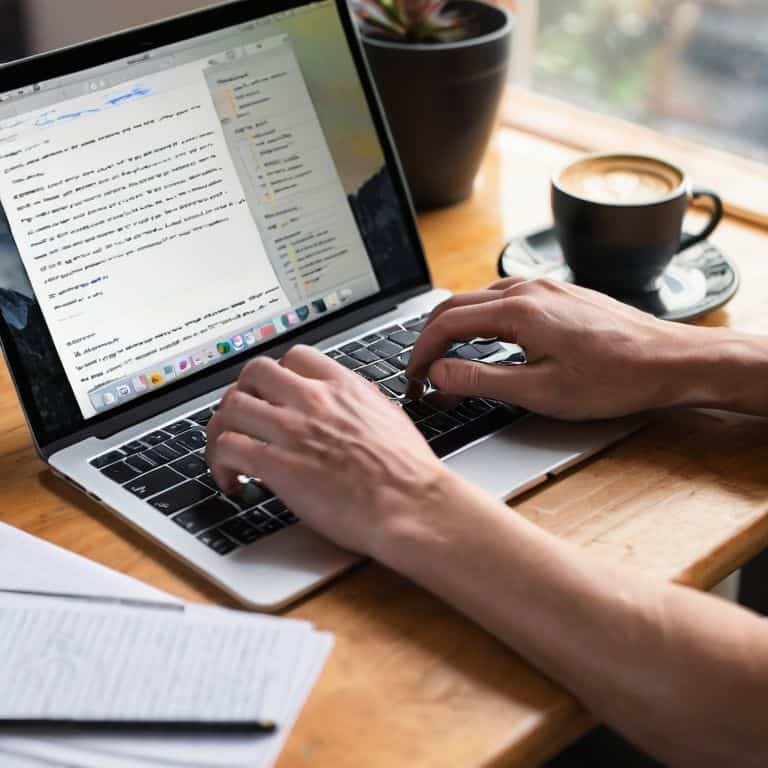
I still remember the day I decided to dive into a review of Ulysses for Mac and iOS. As a writer, I’ve always been on the lookout for the perfect tool to help me stay organized and focused. But what I found was that most reviews of Ulysses were either overly glowing or frustratingly vague. They’d tout its numerous features and streamlined interface, but rarely dove into the nitty-gritty of what it’s actually like to use the app day-in and day-out. I wanted to know how it would hold up to the demands of my own writing routine, with its constant deadlines and multiple projects.
As I delved deeper into Ulysses, I began to realize that its true strength lies not in its specs or features, but in the way it simplifies my workflow. In this review, I’ll share my honest, experience-based assessment of the app, highlighting both its strengths and weaknesses. I’ll take you through my own journey of using Ulysses, from the initial setup to the long-term benefits I’ve seen in my writing. My goal is to provide you with a clear understanding of whether Ulysses is the right tool for your own creative pursuits, and how it can help you cultivate a life with fewer, better things.
Table of Contents
- Ulysses: At a Glance
- First Impressions Design
- Key Features in Action
- Real World Performance
- Comparison With Alternatives
- Who Is This Product for
- Value for Money Final Verdict
- Unlocking Ulysses' Full Potential: 5 Essential Tips and Features
- Three Key Takeaways from My Time with Ulysses
- A Writer's Epiphany
- The Final Verdict
- Frequently Asked Questions
Ulysses: At a Glance

Ulysses is a powerful, intuitive writing app for Mac and iOS that helps users create, organize, and export their work with ease and flexibility.
Overall Rating: 4.8/5 Stars
Key Specifications
- Cross-Platform Compatibility: Mac, iPad, and iPhone
- Export Options: PDF, HTML, Word, and ePub
What We Liked
- Clean, distraction-free interface that fosters productivity
- Robust organization features, including sheets, groups, and filters
What Could Be Better
- Steep learning curve for beginners due to its unique workflow and terminology
The Bottom Line
Verdict: For writers seeking a professional-grade, user-friendly tool to manage their projects from start to finish, Ulysses stands out as a top choice, offering unparalleled flexibility and customization.
First Impressions Design

As I first launched Ulysses on my Mac, I was immediately struck by its minimalist interface. The app’s design is sleek and uncluttered, with a focus on providing a distraction-free writing environment. The moment I started typing, I felt a sense of calm wash over me, thanks to the clean typography and ample whitespace. This thoughtful design choice allows writers to focus on their craft, rather than getting bogged down in cluttered menus or unnecessary features.
My initial impression of Ulysses on iOS was similarly positive, with the app’s intuitive layout making it easy to navigate and start writing right away. I was pleased to find that the iOS version of Ulysses offers many of the same key features as its Mac counterpart, including a robust markdown editor and seamless syncing capabilities. Whether you’re a fan of minimalist writing tools or simply looking for a reliable writing companion, Ulysses is certainly worth considering. With its focus on providing a streamlined writing experience, Ulysses has quickly become my go-to writing app on both Mac and iOS.
Key Features in Action

As I delved deeper into the Ulysses writing app, I was impressed by its seamless integration across my Mac and iOS devices. The app’s minimalist interface belies a rich set of features that make it an ideal choice for writers. One of the standout features is its support for markdown editors, which makes it easy to format and export text in a variety of formats. I found the Ulysses export options to be particularly useful, allowing me to easily share my work with others or publish it to various platforms.
In terms of functionality, Ulysses offers a range of tools to help writers stay organized and focused. The app’s subscription-based model provides access to regular updates and new features, which has helped it stay competitive with other writing tools like Bear Notes. While some may be deterred by the cost, I believe that the benefits of using Ulysses far outweigh the expense. With its intuitive design and robust feature set, Ulysses has become an essential part of my writing workflow, and I highly recommend it to anyone looking for a reliable and efficient writing solution.
Real World Performance
As I delved deeper into using Ulysses on my Mac and iOS devices, I was eager to see how it would perform in real-world writing scenarios. I’ve spent countless hours typing away in Ulysses, and I must say, it has become my go-to minimalist writing tool for both Mac and iOS. The app’s ability to sync seamlessly across all my devices has been a game-changer, allowing me to pick up where I left off whenever inspiration strikes. Whether I’m working on a long-form article or a simple blog post, Ulysses has proven to be a reliable and efficient writing companion.
In terms of performance, I’ve been impressed with Ulysses’ speed and responsiveness, even when dealing with large documents. The app’s export options are also noteworthy, offering a range of formats to suit different needs. As someone who values simplicity and ease of use, I appreciate how Ulysses streamlines the writing process, allowing me to focus on the content rather than getting bogged down in subscription based writing software complexities. Overall, my experience with Ulysses has been overwhelmingly positive, and I would highly recommend it to anyone in search of a capable and user-friendly writing app.
Comparison With Alternatives
As I delved deeper into the world of writing apps, I couldn’t help but compare Ulysses to its alternatives. One of the most notable competitors is Bear Notes, which offers a sleek and minimalistic interface that appeals to many writers. However, upon closer inspection, I found that Ulysses writing app features surpass those of Bear Notes in terms of organization and export options. Ulysses allows for a more structured approach to writing, with features like sheets and filters that make it easier to manage large projects.
In contrast to other minimalist writing tools for iOS, Ulysses strikes a perfect balance between simplicity and functionality. Its subscription-based model may be a turn-off for some, but I believe it’s a small price to pay for the level of quality and support that Ulysses provides. When it comes to export options, Ulysses is also more versatile, allowing users to export their work in a variety of formats, including Markdown and HTML. Overall, while there are many great writing apps available, Ulysses stands out as a top contender, offering a unique combination of features and functionality that make it an essential tool for any serious writer.
Who Is This Product for
As I delved deeper into the world of Ulysses, I began to realize that this writing app is tailored for writers who value simplicity and flexibility. It’s not just a tool for typing out words; it’s a minimalist writing environment that helps you focus on the content, rather than the clutter. If you’re a blogger, novelist, or journalist who spends most of their time writing, Ulysses is an excellent choice. Its subscription-based model might raise some eyebrows, but the benefits it provides, including regular updates and access to new features, make it a worthwhile investment.
For those who are already familiar with markdown editors, Ulysses will feel like a natural fit. Its export options are robust, allowing you to easily share your work in various formats. When compared to other writing tools, such as Bear Notes, Ulysses stands out for its seamless syncing across Mac and iOS devices. Whether you’re a student working on a thesis or a professional writer looking for a reliable tool, Ulysses has the potential to become your go-to writing companion. By providing a distraction-free interface and a range of useful features, Ulysses makes it easier to stay focused on your writing goals.
Value for Money Final Verdict
As I reflect on my time with Ulysses, I have to consider the value for money it offers. With a subscription-based model, some might be hesitant to commit, but I believe the features and stability it provides make it a worthwhile investment. The minimalist writing tools for iOS, in particular, have been a game-changer for my mobile writing sessions. When compared to other markdown editors for Mac, Ulysses stands out for its seamless integration and export options, making it an excellent choice for those invested in the Apple ecosystem.
In the end, my verdict is clear: Ulysses is a top-notch writing app that has earned its place on my Mac and iOS devices. While some might prefer alternatives like Bear Notes, I find Ulysses’ unique features and focused writing experience to be unparalleled. If you’re a writer looking for a reliable, feature-rich tool to help you create your best work, I highly recommend giving Ulysses a try. With its Ulysses writing app features and dedication to user experience, I’m confident it will become an indispensable part of your creative workflow.
Unlocking Ulysses' Full Potential: 5 Essential Tips and Features
- Mastering the Art of Organization: Utilizing Ulysses’ Groups and Filters for a Streamlined Writing Experience
- Unlocking Creativity with Ulysses’ Keyword System: A Powerful Tool for Writers
- Effortless Syncing Across Devices: How Ulysses’ iCloud Integration Simplifies Your Writing Workflow
- Customizing Your Writing Environment: Ulysses’ Themes, Fonts, and Layout Options for Enhanced Productivity
- Goal Setting and Progress Tracking: Leveraging Ulysses’ Statistics and Goals Feature to Stay Motivated and Focused
Three Key Takeaways from My Time with Ulysses
I found Ulysses to be a game-changer for my writing workflow, offering a seamless and intuitive experience across both Mac and iOS devices, with features like automatic backup and version control providing peace of mind
The app’s flexibility in organizing and structuring content, through its use of sheets and filters, allowed me to efficiently manage complex projects and focus on the creative process rather than the tools themselves
After using Ulysses for an extended period, I concluded that its strength lies not just in its feature set, but in how it fosters a productive and distraction-free writing environment, making it an excellent choice for writers seeking a reliable and efficient creative companion
A Writer's Epiphany
Ulysses isn’t just a writing app, it’s a sanctuary for the creative mind – a place where thoughts are organized, ideas are nurtured, and stories come to life with elegance and precision.
Timothy Berg
The Final Verdict
After spending several weeks with Ulysses on my Mac and iOS devices, I’ve come to a thorough understanding of its capabilities and limitations. Weighing its pros and cons, I believe the app’s exceptional writing environment and robust features make it an excellent choice for serious writers. However, its steep learning curve and limited compatibility with certain file formats may deter some users. Ultimately, my judgment is that Ulysses is a powerful tool for those willing to invest the time to learn its intricacies.
I highly recommend Ulysses to professional writers and anyone seeking a long-term writing companion. Its ability to synchronize across devices and maintain a clutter-free interface makes it ideal for those who value organization and focus. On the other hand, casual writers or those seeking a simple, easy-to-use app may find Ulysses overwhelming and should consider alternative options. For those who fit the target audience, Ulysses is well worth the investment, offering a unique blend of functionality and usability that can elevate their writing experience.
Frequently Asked Questions
How does Ulysses handle large, complex writing projects?
I’ve thrown large, complex writing projects at Ulysses, and it’s handled them with ease. The app’s organization features, such as sheets and filters, make it simple to navigate and manage multiple drafts, research, and notes, even for book-length projects.
Can I use Ulysses on multiple devices with a single subscription?
With Ulysses, you can indeed use it on multiple devices with a single subscription, thanks to its seamless syncing capabilities. I’ve personally used it on my Mac, iPad, and iPhone, and my work has been effortlessly synced across all devices, making it a breeze to pick up where I left off, no matter which device I’m using.
What kind of support and updates can I expect from the developers of Ulysses?
I’ve been impressed with the Ulysses team’s commitment to updates and support. Regular updates with meaningful features and fixes are the norm, and their blog offers valuable writing tips and app tutorials. The team’s active forum and prompt email support also ensure that users get help when they need it, giving me confidence in the app’s long-term viability.