A Guide on How to Create a Digital Mood Board
As I sit here, surrounded by my vintage design books and sipping on a cup of coffee, I often think about the misconceptions people have about how to create a digital mood board. Many believe it’s just a matter of throwing some images together, but I’m here to tell you that’s not the case. The truth is, a well-crafted digital mood board is the result of intentional design, a careful balance of typography, color, and composition that sets the tone for your entire project. I’ve seen many designers struggle with this, and it’s because they’re missing the foundational principles that make a digital mood board truly effective.
In this article, I’ll share my personal approach to how to create a digital mood board that resonates with your vision. You’ll learn how to move beyond just collecting images and instead, create a visual narrative that guides your design decisions. I’ll walk you through my step-by-step process, from defining your project’s core elements to selecting the perfect typography and color palette. By the end of this guide, you’ll have the practical advice and no-hype insights you need to create a digital mood board that’s not just visually stunning, but also a powerful tool for your design workflow.
Table of Contents
Guide Overview: What You'll Need
Total Time: 1 hour 15 minutes
Estimated Cost: Free – $10
Difficulty Level: Easy
Tools Required
- Computer (with internet connection)
- Web Browser (e.g., Google Chrome, Mozilla Firefox)
- Image Editing Software (e.g., Canva, Adobe Spark)
Supplies & Materials
- Digital Images (personal photos or stock images)
- Color Palette (pre-defined or custom)
- Font Styles (various options for text overlay)
Step-by-Step Instructions
- 1. First, let’s start by defining what a digital mood board is and why it’s an essential tool for any design project. A digital mood board is a visual representation of your design concept, a collage of images, colors, and textures that evoke the mood and atmosphere you want to create. To begin, gather a collection of images, colors, and textures that resonate with your project’s theme and objective.
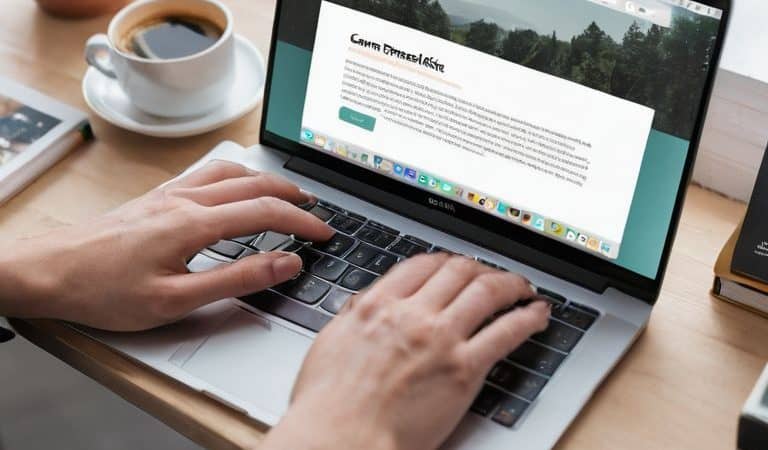
- 2. Next, choose a digital tool that you feel comfortable with, such as Canva, Adobe Spark, or Pinterest, to create your mood board. Each tool has its unique features and limitations, so it’s essential to select one that aligns with your design goals and skill level. I prefer using Canva for its intuitive interface and vast library of templates and design elements.
- 3. Now, let’s talk about the importance of color palette in your mood board. A well-curated color palette can make or break the mood and atmosphere of your design. To create a cohesive color palette, select 3-5 colors that complement each other and reflect the mood and theme of your project. You can use online color palette generators or rely on your own design instincts to choose the perfect colors.
- 4. With your color palette in place, it’s time to start adding images and textures to your mood board. Experiment with different layouts and arrangements to find a composition that feels balanced and visually appealing. Don’t be afraid to try out new and unconventional layouts – this is a mood board, after all, and it’s meant to be a creative and expressive tool.
- 5. As you add more elements to your mood board, consider the typographic hierarchy and how it contributes to the overall mood and atmosphere. Choose fonts that reflect the tone and personality of your project, and use them consistently throughout your mood board. Remember, typography is not just about conveying information – it’s also a powerful design element that can evoke emotions and create a lasting impression.
- 6. Once you have a solid foundation of images, colors, and typography, it’s time to refine your mood board and make any necessary adjustments. Take a step back and evaluate your mood board as a whole, making sure that all the elements work together in harmony. Ask yourself if the mood board accurately reflects the mood and atmosphere you want to create, and make any tweaks or adjustments as needed.
- 7. Finally, save and revisit your mood board regularly to ensure that it remains a relevant and effective tool throughout your design process. A digital mood board is not a static entity – it’s a dynamic and evolving document that should adapt and change as your design project unfolds. By regularly revisiting and refining your mood board, you’ll be able to stay focused on your design goals and ensure that your final product is a true reflection of your creative vision.
Crafting Digital Dreams
As we dive deeper into the world of digital mood boards, it’s essential to consider the mood board design principles that will guide your creative process. A well-crafted digital mood board is not just a visual aid, but a tool that helps you establish a clear visual identity for your project. When selecting images, colors, and textures, think about how they will work together to evoke a specific mood or atmosphere.
To take your digital mood board to the next level, experiment with digital collage techniques that allow you to layer and combine different elements in unique ways. This can help you create a rich, visually interesting board that tells a story. Look for color palette inspiration tools online, such as color wheels or palette generators, to help you find harmonious color combinations that enhance your board’s overall aesthetic.
By embracing visual storytelling for projects, you can use your digital mood board as a powerful communication tool that conveys your vision to others. Whether you’re working on a design project, a writing assignment, or even an interior design scheme, a well-crafted mood board can help you clarify your ideas and stay focused on your goals. Explore different online mood board platforms to find the one that works best for you, and don’t be afraid to experiment and try new things – it’s all part of the creative process.
Color Palette Inspiration Tools
When it comes to selecting a color palette, I always turn to trusted inspiration tools. Websites like Adobe Color and Colour Lovers offer a wealth of user-generated palettes to spark creativity. I also find solace in the works of design masters like Josef Müller-Brockmann, whose use of a restricted color palette created a sense of cohesion and clarity in his work. By limiting our options, we can actually create more focused and effective designs. As Massimo Vignelli once said, “The more we know, the more we realize how little we know.” In the context of color, this means embracing simplicity and intention.
Mood Board Design Principles
As I delve into the realm of digital mood boards, I’m reminded of Massimo Vignelli’s wise words: “The life of a designer is a life of fight: fight against the ugliness.” A well-crafted mood board is not just a visual aid, but a reflection of intentional design principles. To create a digital dreamscape that resonates, one must consider the harmony of typography, color, and composition. A grid system, for instance, can provide the necessary structure for a cohesive visual narrative.
By applying timeless design principles, such as balance, contrast, and hierarchy, a mood board can evolve from a mere collection of images to a powerful tool for creative direction. As a designer, I’ve seen how a thoughtfully designed mood board can guide the entire design process, ensuring that every element, from typography to imagery, works in concert to evoke a specific mood or atmosphere.
Essential Elements for a Compelling Digital Mood Board
- Start with a clear design intention: define the project’s purpose and the mood you want to evoke
- Curate a diverse set of references: combine images, textures, and colors that resonate with your design goal
- Experiment with different layouts: don’t be afraid to try unconventional arrangements to capture the essence of your mood board
- Establish a consistent color palette: use online tools or traditional methods to find a harmonious balance of hues that reflect your design’s personality
- Keep it concise and focused: edit your selections ruthlessly to ensure every element supports the core idea and avoids visual noise
Key Takeaways for Crafting a Compelling Digital Mood Board
Embrace intentional design by establishing a clear purpose and message for your mood board, ensuring it serves as a guiding force for your creative project
Harmonize your visual elements by applying timeless design principles, such as balance, contrast, and typography, to create a cohesive and captivating digital dreamscape
Experiment with innovative color palette inspiration tools and techniques to unlock the full potential of your mood board, from evoking emotions to conveying complex ideas and themes
The Intentional Canvas
A digital mood board is not just a visual exercise, but a discursive process that unfolds the very essence of your design – it’s where intuition meets intention, and the grid meets the gaze.
Alistair Finch
Beyond the Board: Reflections and Inspiration
As we conclude our journey through the world of digital mood boards, it’s essential to revisit the foundational principles that guide us. From the initial steps of gathering inspiration to the nuanced process of crafting digital dreams, each stage is intertwined with the others, culminating in a visual representation that not only reflects our aesthetic goals but also tells a story. The mood board design principles and color palette inspiration tools we’ve discussed are not mere accessories to the design process; they are the cornerstones upon which our creative visions are built.
As you embark on your own design journeys, remember that the true power of a digital mood board lies not in its digital form, but in the intentional design decisions it represents. It’s a North Star that guides your creative process, ensuring that every element, from typography to composition, serves a purpose. So, let’s embrace the art of mood boarding as a celebration of clarity and intention, and may our designs forever be infused with the timeless principles of good design, inspiring generations to come.
Frequently Asked Questions
How do I ensure my digital mood board accurately represents my brand's identity and values?
To ensure your digital mood board truly embodies your brand’s essence, I recommend distilling your identity into three core elements: typography, color, and imagery. Then, apply the principles of harmony and contrast to create a visual narrative that resonates with your values, as Massimo Vignelli would say, “The life of a designer is a life of fight: fight against the ugliness.
What are some best practices for selecting and combining images, colors, and textures in a digital mood board to create a cohesive visual narrative?
To create a cohesive visual narrative, I advise selecting images, colors, and textures that harmonize through a shared aesthetic or emotional resonance. Consider the 60-30-10 rule: 60% dominant element, 30% secondary, and 10% accent. This balance, paired with a clear typographic hierarchy, will help you craft a focused digital mood board that tells a story.
Can you suggest any specific digital tools or platforms that can help me create and collaborate on a mood board with my team or clients?
For collaborative mood boarding, I swear by tools like Notion, Figma, or Milanote – they offer a seamless way to share and refine your vision with team members or clients, all in one place.