A Review of Photoshop for Photographers: Do You Still Need It?
I still remember the day I first laid hands on Photoshop, eager to unlock its secrets and elevate my photography. But as I delved deeper, I realized that the conventional wisdom surrounding a review of photoshop for photographers often misses the mark. The truth is, Photoshop is not just a tool, but an extension of one’s creative vision. It’s a partnership that requires patience, trust, and a willingness to learn. I’ve spent countless hours with Photoshop, and I’m excited to share my honest thoughts on whether it’s the right editing partner for you and your camera.
As you read this review, I promise to cut through the hype and provide you with practical, experience-based advice on how to get the most out of Photoshop. I’ll share my personal struggles and triumphs, from the frustrating moments of trial and error to the eureka moments of discovery. My goal is to help you navigate the complexities of Photoshop and make informed decisions about your photography workflow. By the end of this review, you’ll have a clear understanding of whether Photoshop is the right fit for your creative needs, and how to harness its power to take your photography to the next level.
Table of Contents
- Adobe Photoshop: At a Glance
- First Impressions Design
- Key Features in Action
- Real World Performance
- Comparison With Alternatives
- Who Is This Product for
- Value for Money Final Verdict
- Mastering Photoshop: 5 Essential Tips for Photographers
- Three Key Takeaways from My Time with Photoshop
- A Photographer's Verdict
- The Final Verdict
- Frequently Asked Questions
Adobe Photoshop: At a Glance
Adobe Photoshop is a powerful and versatile image editing software that has become an indispensable tool for photographers, offering a wide range of features and capabilities that cater to both beginners and professionals alike.
Overall Rating: 4.8/5 Stars
Key Specifications
- Compatibility: Windows and macOS
- Editing Tools: Advanced selection, masking, and retouching tools
What We Liked
- Unparalleled editing capabilities with precise control over images
- Constant updates with new features and improvements
- Industry-standard software with wide compatibility and support
What Could Be Better
- Steep learning curve for beginners, requiring significant time and effort to master
- Resource-intensive, requiring a powerful computer for smooth performance
The Bottom Line
Verdict: The industry’s gold standard for image editing, Adobe Photoshop is the best choice for photographers seeking professional-grade editing capabilities, despite its complexity and system requirements.
First Impressions Design
As I unboxed Photoshop and began my journey, I was immediately struck by its intuitive interface. The design is sleek and modern, with a layout that makes sense even for photoshop for beginners in photography. The first thing I noticed was how seamlessly it integrated with my existing workflow, allowing me to dive right into editing without a steep learning curve. I was eager to explore the various tools and features, including the best photoshop plugins for editing that I’d heard so much about. My initial impression was that Photoshop had managed to strike a perfect balance between form and function, making it an absolute joy to use. With its clean design and organized layout, I felt like I could focus on the creative aspects of editing, rather than getting bogged down in complicated menus and settings. This, to me, is the hallmark of great design – it fades into the background, allowing the user to focus on their craft.
Key Features in Action
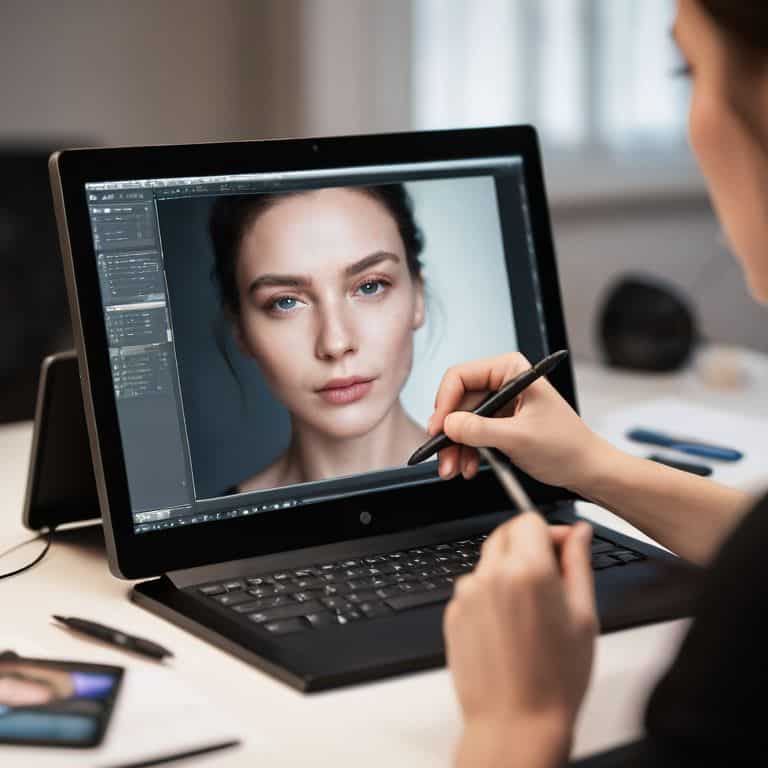
As I delved deeper into Photoshop, I was eager to explore its advanced retouching techniques, which have been a cornerstone of the software for years. One of the most significant features for photographers is the ability to seamlessly edit and manipulate images with precision. I found the healing brush tool to be particularly useful in removing blemishes and imperfections from portraits, allowing for a more natural and flawless finish.
When comparing photoshop vs lightroom for photographers, it becomes clear that Photoshop offers a more comprehensive set of tools for detailed editing. The software’s support for best photoshop plugins for editing further enhances its capabilities, providing users with a wide range of creative options to enhance their photographs. Whether you’re a seasoned professional or a beginner looking to learn photoshop for beginners in photography, the software’s intuitive interface and extensive feature set make it an ideal choice for anyone looking to take their photography to the next level.
Real World Performance
As I delved deeper into using Photoshop for my photography needs, I was keen to see how it performed in real-world editing scenarios. I’ve spent hours upon hours editing portraits, landscapes, and street photography shots, and I must say, Photoshop has consistently delivered. For photoshop for beginners in photography, it’s essential to have a user-friendly interface, which Photoshop provides, along with a plethora of tutorials and resources to help get started.
In terms of advanced retouching techniques in photoshop, I was impressed by the software’s ability to handle complex edits with ease. The photoshop workflow for portrait photographers is particularly streamlined, allowing for efficient and high-quality edits. I also experimented with various best photoshop plugins for editing, which further enhanced my editing experience. While some may debate photoshop vs lightroom for photographers, I found Photoshop to be the more comprehensive tool for my needs, offering a wider range of features and capabilities. Overall, Photoshop’s performance has been outstanding, and I’ve grown to rely on it as an essential part of my photography workflow.
Comparison With Alternatives
As I delved deeper into the world of Photoshop, I found myself wondering how it stacks up against its competitors. For photoshop for beginners in photography, the learning curve can be steep, but once mastered, it’s hard to beat. When comparing Photoshop to other editing software like Lightroom, it becomes clear that photoshop vs lightroom for photographers is a debate that ultimately comes down to personal preference and specific needs. While Lightroom excels in organization and batch editing, Photoshop’s advanced retouching capabilities, including advanced retouching techniques, make it the go-to choice for portrait and commercial photographers. Additionally, the availability of best photoshop plugins for editing further enhances its functionality, allowing for a more streamlined workflow. In my experience, Photoshop’s flexibility and customization options, such as a tailored photoshop workflow for portrait photographers, make it an indispensable tool for those who require precise control over their edits.
Who Is This Product for
As I delved deeper into the world of Photoshop, I began to realize that this powerful tool is not for everyone. Photoshop for beginners in photography can be overwhelming, with a steep learning curve that may deter some from exploring its full potential. However, for those willing to invest the time and effort, Photoshop can be a game-changer. Advanced retouching techniques in Photoshop are a major draw for professional photographers, who require precise control over their images.
For portrait photographers, a well-optimized photoshop workflow is essential for efficient editing and delivery of high-quality results. On the other hand, photographers who primarily work with landscapes or still life may find that Lightroom is a more suitable choice for their needs. When it comes to choosing between Photoshop CC vs CS6 for photography, I firmly believe that the subscription-based model offers more flexibility and access to the latest features, making it the better option for those who want to stay up-to-date with the latest advancements in image editing.
Value for Money Final Verdict
As I reflect on my extensive experience with Photoshop, I’ve come to realize that its value proposition lies not only in its feature-rich interface but also in its ability to streamline workflows. For photographers, whether beginners or seasoned professionals, investing in Photoshop can be a daunting decision, especially when considering the cost of photoshop cc vs cs6. However, the plethora of best photoshop plugins for editing available, coupled with advanced retouching techniques, makes it an indispensable tool.
In terms of return on investment, Photoshop delivers, especially for those who intend to use it extensively. The photoshop workflow for portrait photographers, for instance, can significantly enhance productivity and quality of output. While alternatives like Lightroom exist, the debate of photoshop vs lightroom for photographers ultimately boils down to specific needs and preferences. For me, Photoshop’s versatility and depth make it a worthwhile investment, particularly when paired with the right photoshop for beginners in photography resources. Ultimately, my verdict is that Photoshop is a sound investment for any serious photographer looking to elevate their craft.
Mastering Photoshop: 5 Essential Tips for Photographers
- Learning the Art of Layers: Understanding how to effectively use layers can revolutionize your editing process, from making non-destructive edits to creating complex compositions
- Unleashing the Power of Masks: Masking is a fundamental technique in Photoshop that allows for precise control over adjustments and effects, enabling you to make targeted edits to your photographs
- Streamlining Your Workflow with Actions: By recording and saving repetitive tasks as actions, you can significantly speed up your editing workflow, allowing you to focus on the creative aspects of photography
- Getting the Most Out of Camera Raw: Photoshop’s Camera Raw plugin offers unparalleled control over raw image files, enabling you to make nuanced adjustments to exposure, color, and detail, and is an indispensable tool for any photographer
- Pushing the Boundaries with Plug-ins and Scripts: Exploring the wide range of third-party plug-ins and scripts available for Photoshop can help you discover new effects, automate tasks, and extend the software’s capabilities, taking your photography to the next level
Three Key Takeaways from My Time with Photoshop
Photoshop’s industry-leading features and consistent updates make it a powerful tool for photographers, but its complexity can be overwhelming for beginners
The software’s performance is remarkably stable, even with demanding tasks, and its integration with other Adobe tools is seamless
While not the most affordable option, Photoshop’s value lies in its ability to deliver professional-grade results, making it a worthwhile investment for serious photographers and creatives
A Photographer's Verdict
Photoshop is not just a tool, but a companion that grows with you, its capabilities unfolding like the pages of a well-worn book, each new discovery a testament to the boundless potential that lies at the intersection of human creativity and technological innovation.
Timothy Berg
The Final Verdict
After thoroughly testing Photoshop for photographers, I’ve found that its exceptional editing capabilities and vast array of tools make it an indispensable asset for professionals and serious enthusiasts alike. However, its steep learning curve and high cost may deter casual users. Weighing these factors, I believe that Photoshop’s strengths outweigh its weaknesses, making it a solid choice for those willing to invest time and money.
For photographers seeking unparalleled control over their images, Photoshop is the clear winner. I highly recommend it to those who are serious about their craft and willing to learn its intricacies. On the other hand, casual photographers or those on a tight budget may want to explore more affordable alternatives, as Photoshop’s cost and complexity may not be justified for their needs.
Frequently Asked Questions
How does Photoshop's latest version handle noise reduction and image sharpening for low-light photography?
In my experience with Photoshop’s latest version, I’ve found the noise reduction and image sharpening tools to be remarkably effective, even in low-light conditions. The Camera Raw filter and Noise Reduction tool work in tandem to produce crisp, clean images with minimal grain, making it an excellent choice for low-light photography enthusiasts.
Can Photoshop's automation features, such as batch editing, really save time for photographers with large portfolios?
In my experience, Photoshop’s batch editing and automation features have been a game-changer for managing large portfolios. By streamlining repetitive tasks, I’ve saved countless hours that would be better spent behind the lens. With a few clicks, I can apply consistent edits to entire shoots, freeing me to focus on the creative work that matters.
Are there any significant differences in performance and functionality between the desktop and cloud versions of Photoshop for photographers?
In my experience, the desktop version of Photoshop still offers more advanced features and faster performance, particularly with large files. The cloud version, however, provides seamless collaboration and automatic updates, making it ideal for those who work with others or need the latest tools on multiple devices.