The Best Tools for Ux Design for Beginners
As a design professor, I’ve seen many beginners struggle to find their footing in UX design, often overwhelmed by the sheer number of tools available. The question on every newcomer’s mind is: what are the best tools for ux design for beginners? It’s a crucial question, as the right tools can make all the difference in crafting a seamless user experience. In my experience, having a solid foundation in the principles of design, combined with the right tools, can elevate a designer’s work from good to great.
In this listicle, I promise to cut through the noise and provide you with the essential tools you need to get started with UX design. You’ll learn about the fundamental software that will help you create wireframes, prototypes, and high-fidelity designs with ease. By the end of this article, you’ll have a clear understanding of the top 5 tools that will help you streamline your design process and create user-centered designs that resonate with your audience. Whether you’re a student or a professional looking to transition into UX design, these tools will be your stepping stone to creating exceptional user experiences.
Table of Contents
- Laying the Foundation with Sketch
- Unlocking Creativity with Figma
- Bringing Designs to Life with InVision
- Crafting User Flows with Adobe XD
- Testing and Refining with UserTesting
- Key Takeaways for Intentional UX Design
- Designing with Intention
- Embracing the Craft of UX Design
- Frequently Asked Questions
Laying the Foundation with Sketch
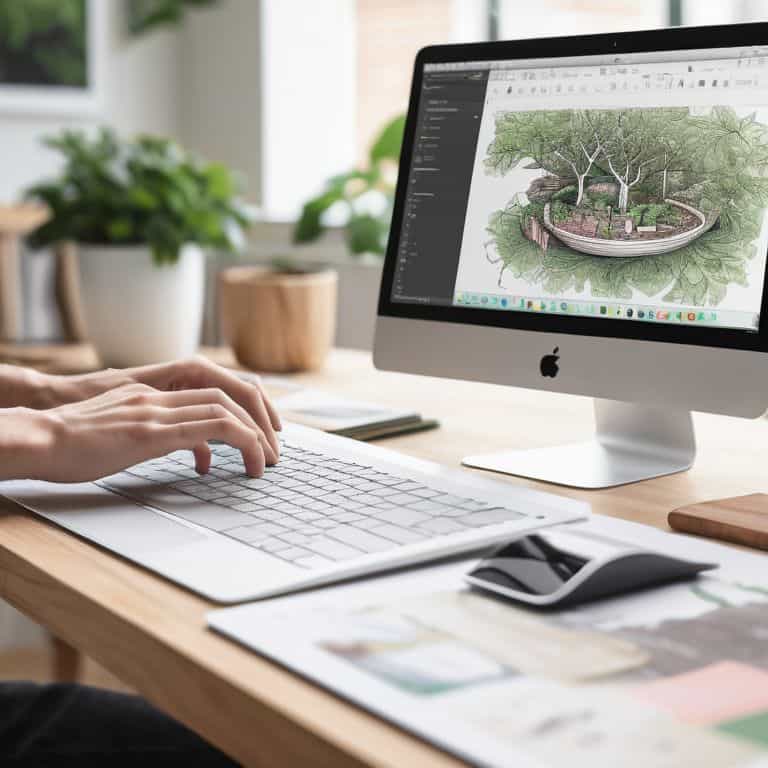
As a beginner in UX design, it’s essential to start with the right tools. For me, Sketch has been a game-changer. It’s a digital design tool that allows you to create user interface designs with ease. With its intuitive interface, you can focus on the creative process without getting bogged down by complex features. I’ve seen many designers, including myself, start with Sketch and never look back. Its simplicity and flexibility make it an ideal choice for those just starting out. Whether you’re designing a mobile app or a website, Sketch provides the perfect platform to bring your ideas to life. By mastering Sketch, you’ll be able to create wireframes, prototypes, and high-fidelity designs with ease, setting you up for success in the world of UX design. In my experience, understanding the fundamentals of Sketch is crucial for any aspiring UX designer. As Massimo Vignelli once said, ‘The life of a designer is a life of fighting against the ugly,’ and Sketch is the perfect tool to help you do just that.
Unlocking Creativity with Figma

While Sketch is an excellent choice for UX design, Figma offers a unique set of features that can enhance your design process. As a beginner, you might be wondering what sets Figma apart. For me, it’s the real-time collaboration feature that allows designers to work together seamlessly. This feature has been a game-changer for team projects, enabling multiple designers to contribute to a single design file simultaneously. Figma’s cloud-based infrastructure also means that you can access your designs from anywhere, at any time. I’ve found that Figma’s flexibility and collaborative nature make it an excellent tool for designers who work in teams or with clients. By leveraging Figma’s features, you can unlock new levels of creativity and productivity in your UX design work. As I always say, ‘A good designer must always be aware of the design ecosystem,’ and Figma is an essential part of that ecosystem.
Bringing Designs to Life with InVision

Once you’ve created your designs in Sketch or Figma, it’s time to bring them to life with prototyping tools. That’s where InVision comes in – a powerful platform that allows you to create interactive prototypes with ease. With InVision, you can test and validate your designs, ensuring that they meet the needs of your users. I’ve found that InVision’s user testing features are particularly useful for gathering feedback and iterating on designs. By using InVision, you can create immersive experiences that simulate real-world interactions, giving you a deeper understanding of how your designs will perform in the wild. As a designer, it’s essential to stay curious and keep learning, and InVision provides the perfect opportunity to do just that. Whether you’re designing a mobile app or a website, InVision helps you create interactive prototypes that bring your designs to life.
Crafting User Flows with Adobe XD
When it comes to user flow design, Adobe XD is an excellent choice for beginners. This powerful tool allows you to create wireframes, prototypes, and high-fidelity designs with ease, all while maintaining a consistent design language. I’ve found that Adobe XD’s repeat grid feature is particularly useful for creating consistent layouts and design patterns. By mastering Adobe XD, you’ll be able to create user flows that are both intuitive and engaging. As a designer, it’s essential to understand the user’s journey, and Adobe XD provides the perfect tools to help you do just that. Whether you’re designing a simple website or a complex application, Adobe XD helps you create seamless user experiences that delight and engage your users. By focusing on the why behind your design decisions, you’ll be able to create designs that are both beautiful and functional.
Testing and Refining with UserTesting
Finally, no UX design process would be complete without user testing. That’s where UserTesting comes in – a platform that allows you to test your designs with real users and gather valuable feedback. I’ve found that UserTesting’s remote usability testing feature is particularly useful for validating design assumptions and identifying areas for improvement. By using UserTesting, you can refine your designs and ensure that they meet the needs of your users. As a designer, it’s essential to stay humble and be open to feedback, and UserTesting provides the perfect opportunity to do just that. Whether you’re designing a mobile app or a website, UserTesting helps you create user-centered designs that are both effective and engaging. By iterating on your designs and refining your approach, you’ll be able to create world-class user experiences that delight and engage your users.
Key Takeaways for Intentional UX Design
Clarity is key: Good design is not about piling on features, but about creating a clear and intentional user experience that guides the user through your product or service
Tool selection matters: The right tools can elevate your design, but it’s essential to choose ones that align with your design principles and goals, rather than just following the latest trends
Principles over trends: Remember, the best UX design tools are those that help you apply timeless principles of design, such as typography, color, and composition, to create a lasting and effective user experience
Designing with Intention
The best tools for UX design are not just software, but a mindset – one that seeks to clarify, to simplify, and to bring order to the chaos of human experience.
Alistair Finch
Embracing the Craft of UX Design
As we’ve explored the best tools for UX design, it’s clear that each one plays a crucial role in the design process. From wireframing to prototyping, and user testing to design systems, these tools help us craft clarity and bring our ideas to life. By understanding the strengths and weaknesses of each tool, we can make informed decisions about which ones to use and when, ultimately leading to more effective and efficient design workflows.
As you embark on your UX design journey, remember that the tools are merely a means to an end. The true power lies in your ability to think critically, solve problems intentionally, and create designs that resonate with users. Don’t just focus on mastering the tools – strive to understand the why behind your design decisions, and always keep the user at the forefront of your mind. With dedication and practice, you’ll be well on your way to creating designs that inspire and delight.
Frequently Asked Questions
What are the most essential features to look for in a UX design tool for a beginner?
For a beginner, I believe the most essential features to look for in a UX design tool are simplicity, intuitive interface, and robust typography options. As Massimo Vignelli once said, “The life of a designer is a life of fight: fight against the ugliness.” A good tool should help you fight for clarity, not hinder it. Look for tools that allow you to focus on the design process, not get bogged down in unnecessary complexity.
How do I choose between free and paid UX design tools for my projects?
When deciding between free and paid UX design tools, consider the project’s scope and your needs. Ask yourself: What features are essential for this project? Will a free tool’s limitations hinder my process, or can I work within its constraints? Paid tools often offer more robust features, but don’t overlook the value of open-source alternatives that can be just as effective.
Are there any UX design tools that offer a free trial or student version for beginners to get started?
Indeed, many UX design tools offer free trials or student versions, allowing beginners to dip their toes in the water. Figma, Sketch, and Adobe XD all provide free plans or trials, while InVision offers a discounted student plan. These options enable you to experiment and find the best fit for your design journey, aligning with the principles of intentional design that Massimo Vignelli would approve of.